Go, tell it on the mountain, the twitter bird sings his song in the rockies.

Create your own custom knitted pillow case.
Use up to six colors and sing out loud: this is the echo of the clouds in the sky.
See all custom pillow cover specs here

Go, tell it on the mountain, the twitter bird sings his song in the rockies.
Create your own custom knitted pillow case.
Use up to six colors and sing out loud: this is the echo of the clouds in the sky.
See all custom pillow cover specs here
The Atomic Sweater in color of your choice by Wildemasche, size S, M, L, XL and XXL

Be yourself, unless you can be yourself in a unicorn sweater.

Then get a unicorn sweater and be yourself in a unicorn sweater.
When uploading photos or images in the Online Designer, you can have the background removed with a single click.
Start the Online Designer with desired product resp material / size option.
Then upload your image in the Online Designer (“Image” button top left).

Click button “Background”

Image with white background
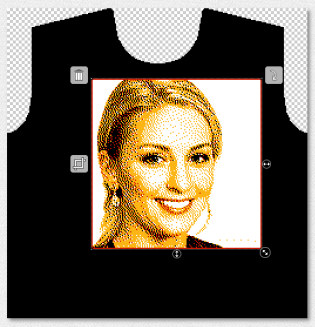
Image with background removed:
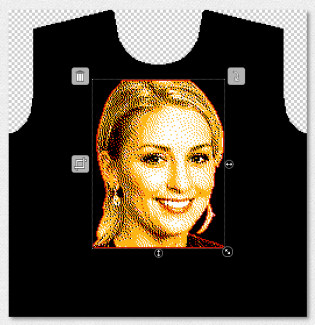
Pick border color and border thickness. This way the image will stand out better on a background with pattern or changing colors.

Use “Remove background” on all products in the Online Designer. So not just with the custom sweater, but also when creating designs for scarves, blankets, beanies and fabric panels.
Get your sweater mockup action with the sweater mockup generator from Wildemasche.
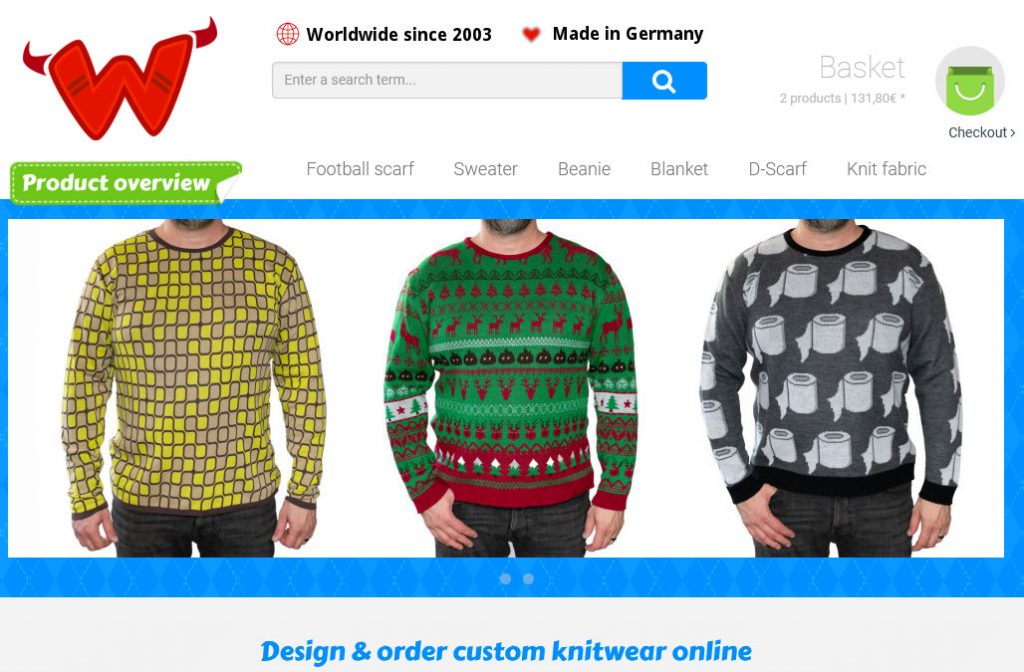
Custom knit sweater mockups are done in no time in this industry leading jacquard knit factory online offer.
Create custom designs for free, either for fine knit cotton knitshirt, or standard acrylic sweater. Use loads of sweater templates and randomly created designs. Upload stock photos for your best sweater designs, or cliparts from the searchable clipart database. Upload your photos and generate a preview of the design you have made.
For even more options, go pro and send the design you have created with photoshop and use advanced effects.
This is Wildemasche, this is the onlineshop for crewneck sweaters with your design on front, back and sleeves. Everything is knitted in, allover, always.